Tools That Save Time, Cut Cost, and Close Risk
When a team is stuck with slow manual work, costly software, or blind spots, I design and build the fix. Every tool here solves a real problem for a school district, a university, or a security team, and each one is in use or tested at scale.
Demo screens use sample data.
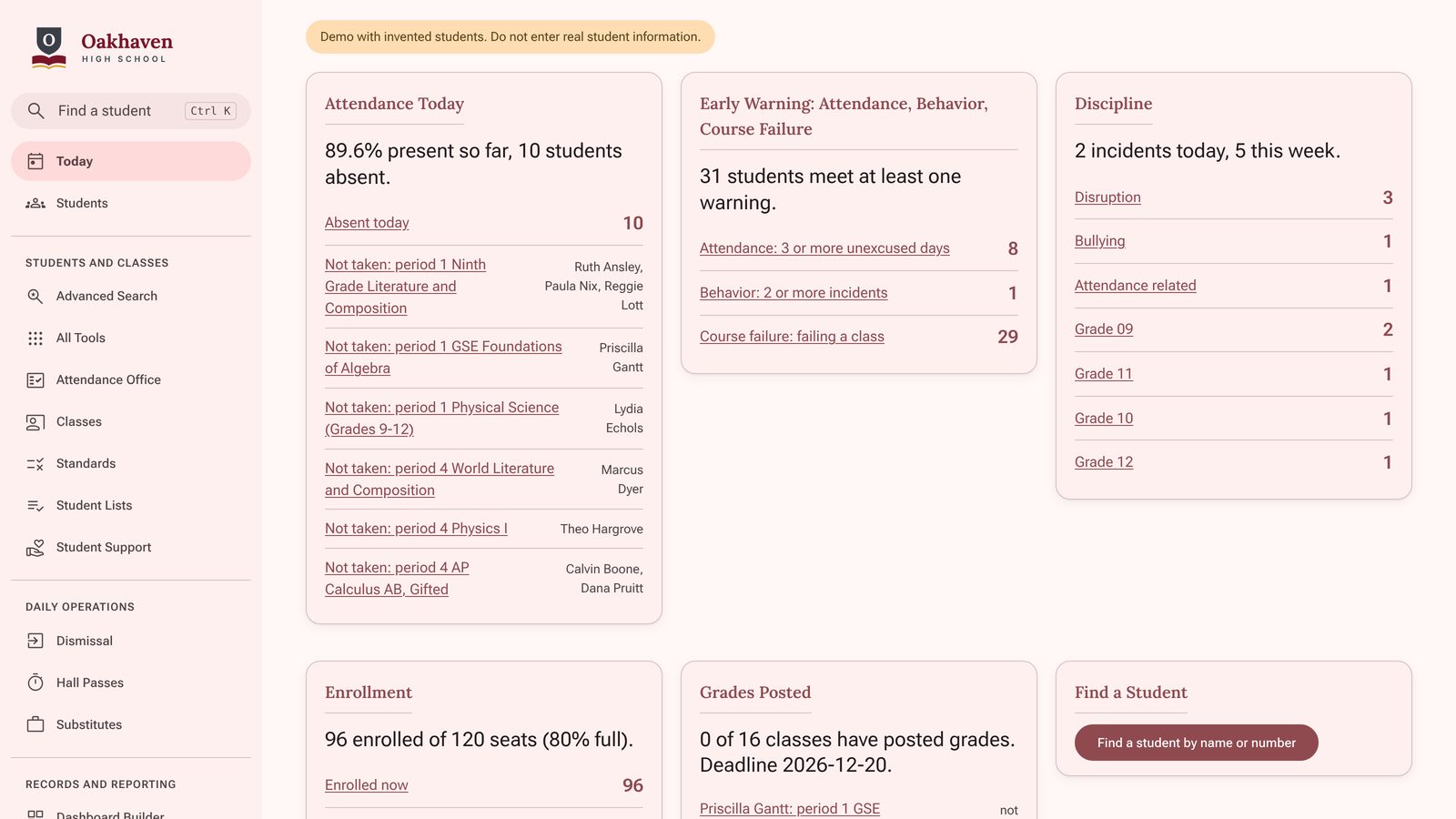
NextGen SIS
A full student information system for K12 districts
One system for the whole school day: student records, enrollment, classes, attendance, gradebook, scheduling, student support, family access, and data checks for state reporting. Districts run it in their own cloud and get updates from one hub. Every screen here uses invented students from a fictional district.
- Records and enrollment
- Attendance and gradebook
- Master scheduler
- Student support
- Family and student portal
- Form builder
- OneRoster 1.1 and 1.2 export
- Audit log
Load test run November 15, 2026. The busy school day is proven. The peak testing window, about 20,000 students in assessments at once, is the next test and is not claimed yet. Family messaging delivery and state file submissions are planned, not built.
EduSite
One accessible platform for every district and school site
A low cost website platform that runs a district site and every school site from one dashboard. The district sets the menu and look once, schools publish inside it, and an accessibility checker blocks publishing when a page has errors. Shown here on the made up Oakhaven County School District.
- WCAG 2.1 AA
- Section 508
- One dashboard for every site
- Publishing workflow
- AI assistant for staff updates
- Audit log
K12 Tools Built With AI
Classroom Quiz Show and four more tools school staff can build themselves
Schools run on Google, and most staff cannot connect outside AI services. So I wrote a playbook that shows a teacher, counselor, or principal how to build a working tool in Gemini with only what the district already has. The lead example is Classroom Quiz Show: a teacher picks a Georgia standard, Gemini drafts the questions in six Georgia Milestones item types, and students play it as a game. Every tool here runs on invented sample data for the imaginary Oakhaven schools.
- K12
- Gemini
- Google Workspace for Education
- Georgia standards
- Six item types
- No paid AI license
Resume Builder
One resume, three sharp styles
A web app that turns one set of resume content into print ready PDFs. Pick a style and a color scheme, place a photo, and check the result against a job posting with the built in ATS check.
- Three styles
- Six color schemes
- ATS check
- Google sign in
- Google Cloud Run
Private beta. Sign in is by invitation for now.
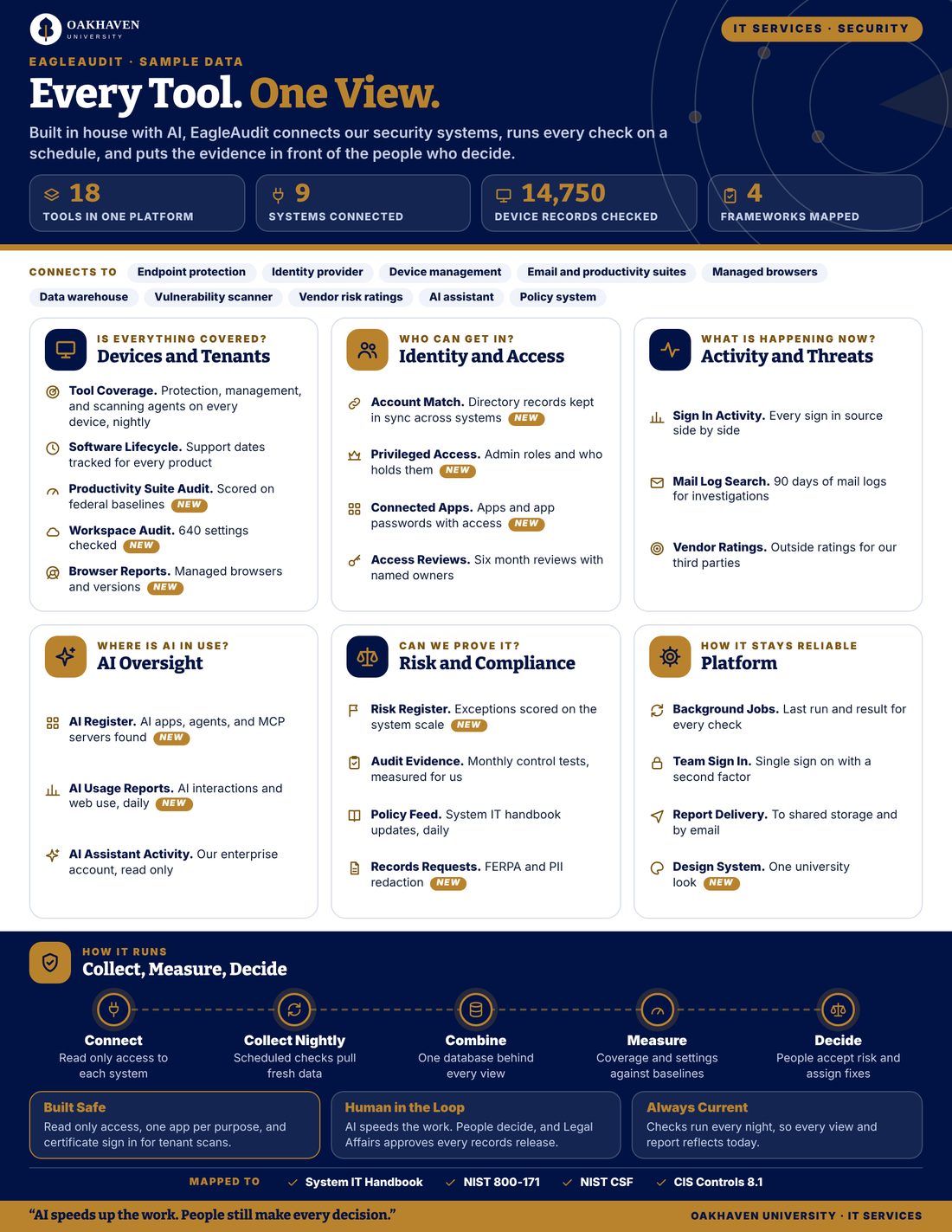
EagleAudit
Every tool, one view
EagleAudit connects security systems with read only access, runs every check on a schedule, and puts the evidence in front of the people who decide. It covers devices and tenants, identity and access, activity and threats, AI oversight, and risk and compliance.
- Built in house with AI
- Nightly checks
- Read only access
- NIST 800-171
- NIST CSF
- CIS Controls
AI speeds up the work. People still make every decision.
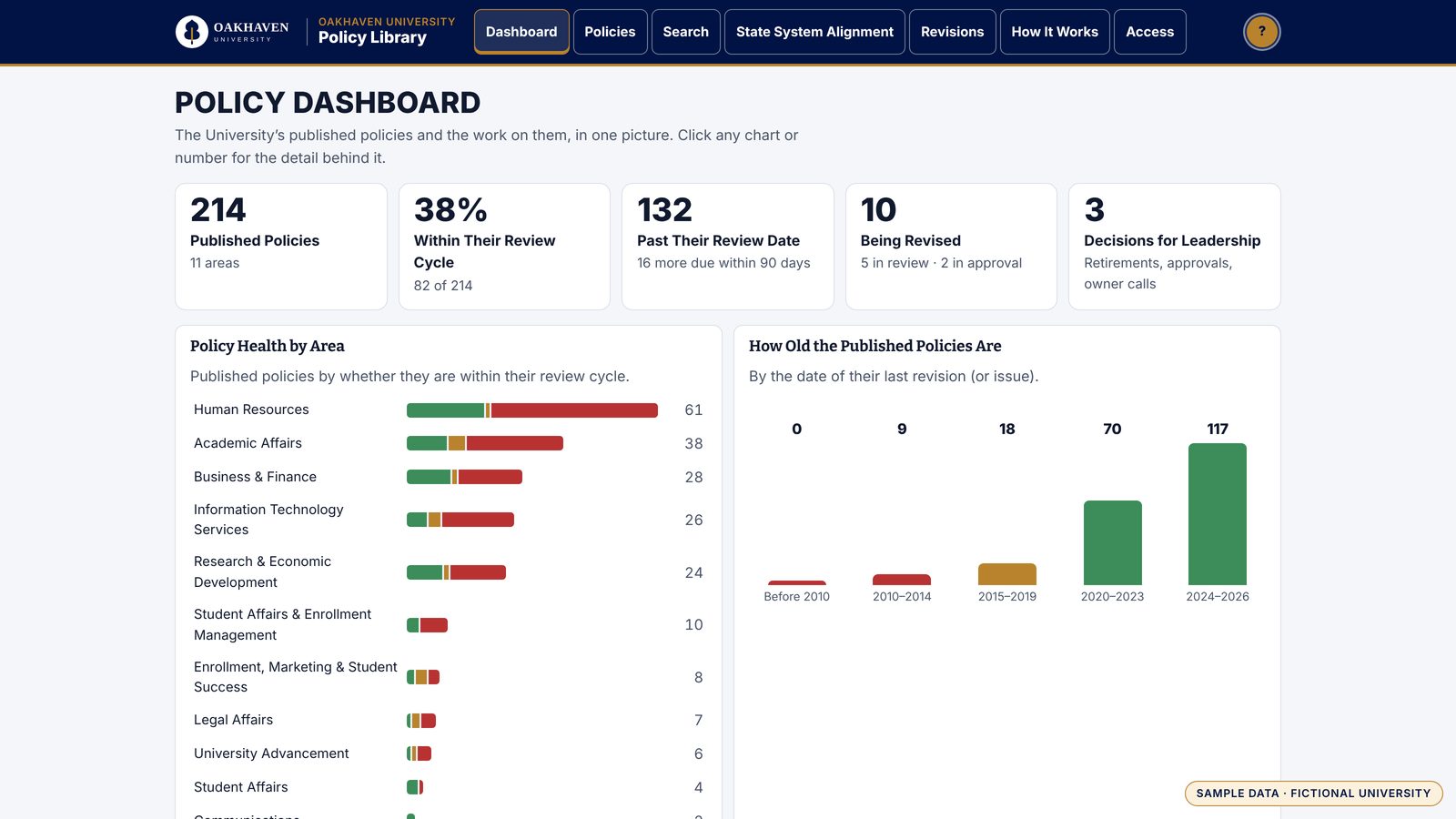
Policy Library
Every policy, from need to next review
Leaders see policy health at a glance, reviewers work in the document itself with tracked changes, and every sign off is recorded.
- Leadership dashboard
- Review cycles
- Tracked changes
- Sign offs
- Search and ask
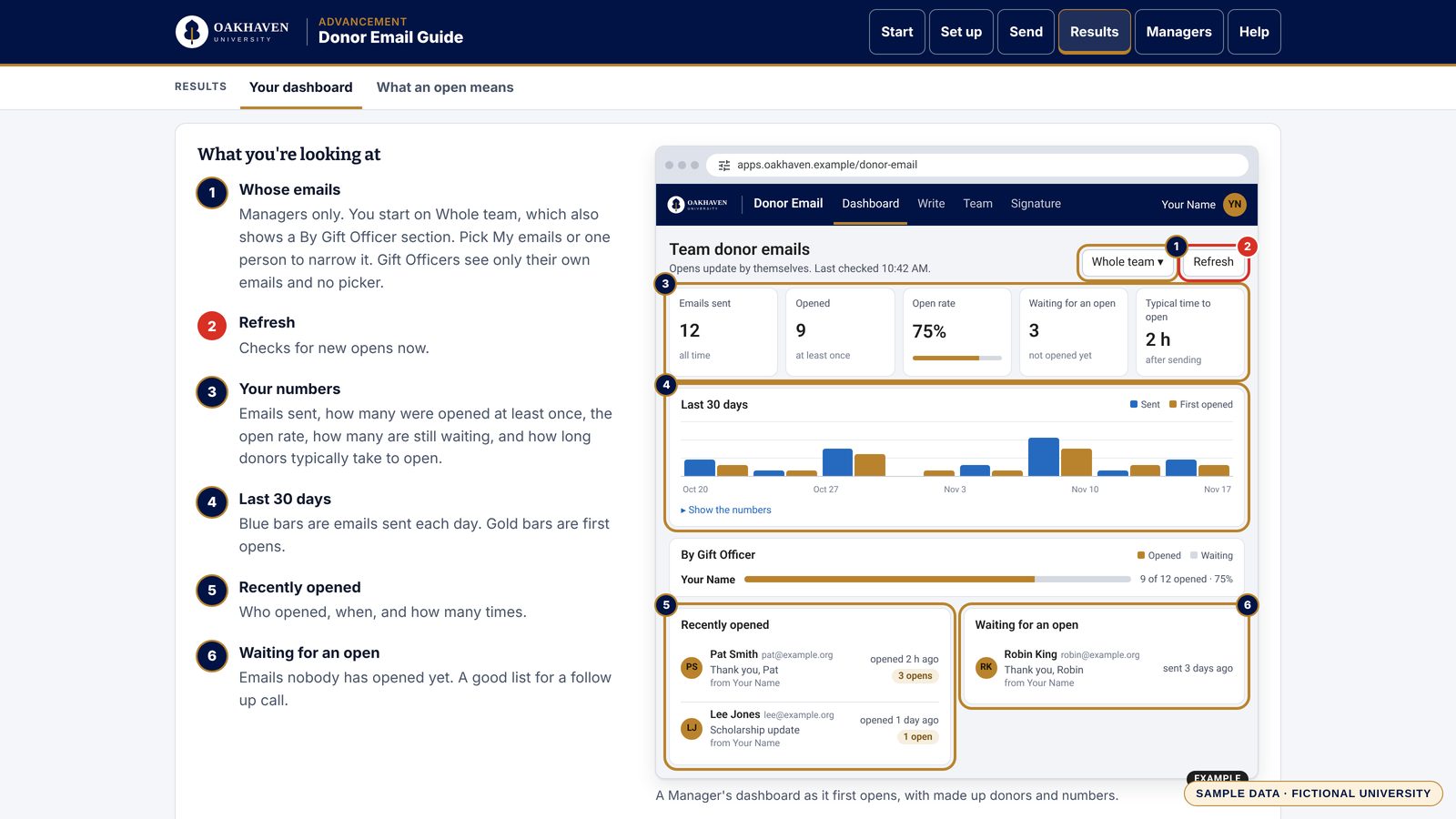
Donor Email
See when donors open your emails
A Gmail add on and team dashboard for fundraising staff. Gift officers send personal emails from their own Gmail and see when each donor opens them, and managers see the whole team. It ships with a picture guide so staff can set it up on their own.
- Gmail add on
- Team dashboard
- Open tracking
- Roles
- Picture guide
Change Management Review
Two years of change records, one clear picture
A review of how IT changes are requested, approved, and scheduled. Staff answer a short survey and post ideas on a shared board, and the results update as people respond.
- Process map
- Agenda analysis
- Request records
- Discussion board
- Live results
Brand Systems
Logos, color, type, and rules that people and AI agents both follow
I design complete brand packages: logos in every version, color with measured contrast, type, voice, design tokens, and a rules file an AI agent can read. My own brand is drawn from the way I sign my N. The Oakhaven packages are the made up district and schools used across my K12 tools, built as a standard any real district can fill in and upload.
- Logo systems
- Measured contrast
- Four color schemes
- Design tokens
- Rules for AI agents
- K12 brand package standard
My Brand
Oakhaven Brand Packages for NextGen SIS
More Tools and Prototypes
Everything else I am building, for schools, universities, and security teams. Several have live demos you can try.
Have a Problem Like These?
I can walk you through any of these tools, what it replaced, and what it would take to build one for your team.
Get in Touch